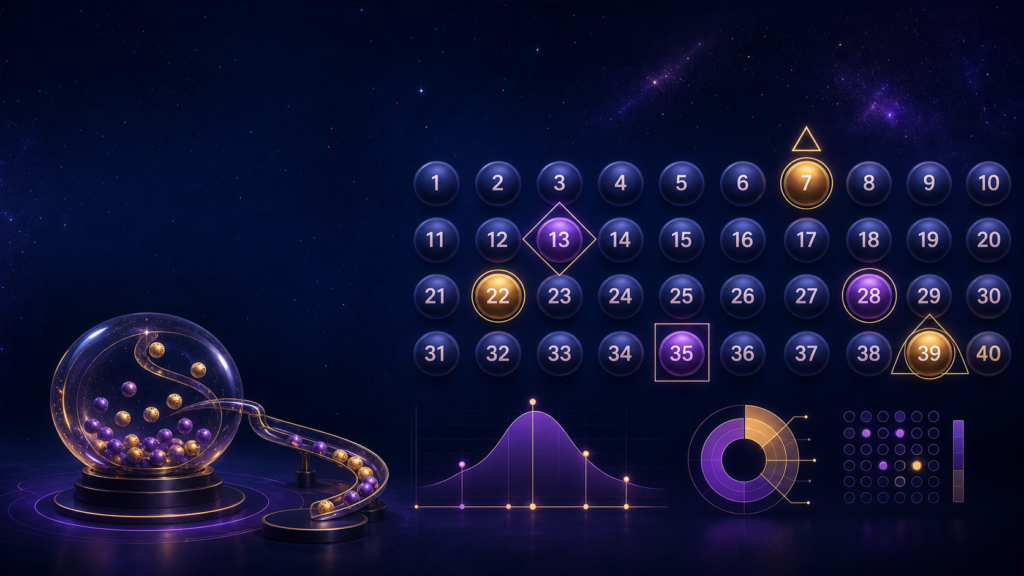
Orion Stars Keno Guide
Keno is one of the game types mentioned on the official Orion Stars website. It is generally a number-selection format: a player marks spots on a numbered grid, confirms the selection, and then sees which numbers are drawn. The game’s displayed table determines how matches are interpreted.
That basic description is useful, but it is not a substitute for the rules inside a specific title. Grid size, permitted selections, controls, and result tables can vary. This guide focuses on how to read the interface and make a calm, informed first choice.
How a Keno-Style Game Is Organized
A keno screen often includes:
- A numbered grid
- A counter showing how many spots are selected
- Clear or undo controls
- Quick-pick or random-selection options
- A selected-value control
- A draw or start button
- A result or match table
- A history panel
The layout may differ on phone, tablet, and browser. Before doing anything, identify the selected-value display and the control that clears all choices.
Choosing Numbers or Spots
Selecting a number generally marks it visually. The game may limit how many spots you can choose or may change the result table according to the number selected.
After making a selection:
- Count the marked spots.
- Compare that count with the screen’s selection indicator.
- Confirm that no unintended spot was tapped.
- Read the table for that exact number of selections.
- Check the selected value before starting.
On a small touchscreen, a missed tap can mark a neighboring number. Zoom only if the interface supports it without hiding controls.
Manual Selection and Quick Pick
A quick-pick control can choose numbers automatically. It is a convenience feature, not a promise of a better result. Manual selections are also not inherently predictive.
If using quick pick, learn whether it replaces the entire selection or fills remaining spaces. Confirm the resulting grid before starting a draw. If you want to change it, use the clear or undo control rather than tapping rapidly.
Avoid interpreting birthdays, favorite numbers, recent draws, or visible patterns as guarantees. A personal selection may be enjoyable, but preference is not prediction.
Reading the Match Table
The match table is essential. It typically relates the number of selected spots to the number matched after a draw. Different selection sizes may have different rows or outcomes.
Before a draw, find the row corresponding to your number of marked spots. If you cannot read the table or do not understand its labels, do not start. A screenshot from another keno title may not apply.
After the draw:
- Compare the displayed drawn numbers with your marked spots.
- Check the match count shown by the game.
- Refer to the correct row in the current table.
- Do not infer a result from animation alone.
If the display and table appear inconsistent, stop and contact verified support with a cropped screenshot that excludes account details.
Understanding Draw History
Some keno screens may show recently drawn numbers. History can be useful for confirming what the interface recorded, but it does not guarantee what will appear next. A number that has not appeared recently is not necessarily “due,” and a number that appeared several times is not necessarily “hot.”
Avoid extending a session to pursue a pattern. Set the stopping time before the first draw.
A Beginner’s Keno Routine
Use a repeatable process:
Read the rules
Open the help, information, or table screen and confirm the permitted number of selections.
Make a small, deliberate selection
Choose spots slowly. Review every marked number.
Confirm the settings
Verify the selection count and selected value. Keep automatic or multi-draw controls off until you fully understand them.
Watch one complete draw
Observe when choices lock, how drawn numbers appear, and where the match count is displayed.
Review before continuing
Compare the result with the current table. If you feel hurried or confused, stop.
Multi-Draw and Automatic Controls
Some keno-style games may provide multiple-draw or automatic options. These can schedule several draws and make a session move quickly.
Before using one, confirm:
- How many draws it schedules
- The selected value for each draw
- Whether selections stay the same
- How to stop the sequence
- Whether confirmation is required
For a first session, one manual draw at a time is easier to monitor. Never enable a control just to see what it does.
Keno Compared With Other Orion Stars Games
Keno is based on choosing numbered spots and reading a match table. Slots center on reel symbols and game-specific paytables. Fish games use active aiming and moving targets. Table games can involve more detailed decision rules.
Keno may suit someone who prefers:
- A clear selection stage
- A visible numbered grid
- A distinct draw and result
- Less continuous animation than a fish game
That does not make it a better or more predictable category. Use How to Choose a Game on Orion Stars to compare formats.
Device and Access Considerations
On a phone, verify that the full grid and action controls are visible. If taps do not register accurately or the connection lags, leave the game and troubleshoot rather than making repeated inputs.
The official Orion Stars site describes both app and web access. Android users can use the verified Google Play listing. Store compatibility and details may change, so check the current listing.
For new access, open the player-registration destination. Registration and account approval remain subject to platform and provider terms.
Responsible Keno Habits
Set a session time and an affordable entertainment amount in advance. Keep multi-draw controls off if they make it harder to track either limit. Take a break after the planned number of draws.
Do not choose more spots, increase activity, or extend the session because previous draws did not match expectations. Never use money needed for housing, food, transportation, health care, bills, or debt payments. Social gaming should remain entertainment.
Frequently Asked Questions
How many numbers can I choose in Orion Stars keno?
The permitted selection count depends on the current title. Read the on-screen rules and selection counter rather than relying on a generic number.
Does quick pick improve the chance of a result?
Quick pick is a convenience that selects numbers automatically. Do not treat it as a guarantee or a predictive tool.
Can recent draw history predict the next numbers?
No displayed history can guarantee what comes next. Use history to review prior draws, not to justify chasing a pattern.
Responsible social-gaming notice: This content is for adults age 18 and older. Availability, eligibility, and age rules may vary by location and platform terms. Social gaming should be entertainment, not a way to make money. Set time and spending limits, follow local rules, and stop if play is no longer enjoyable.
18+ responsible-use notice: Orion Stars includes simulated gambling-style content. Treat play as entertainment, set time and spending limits, and stop if it causes stress. Availability, account approval, and outcomes are never guaranteed.